General information
Where can I find the usermanagement? What exactly can I do with it?
Where can I find the usermanagement?
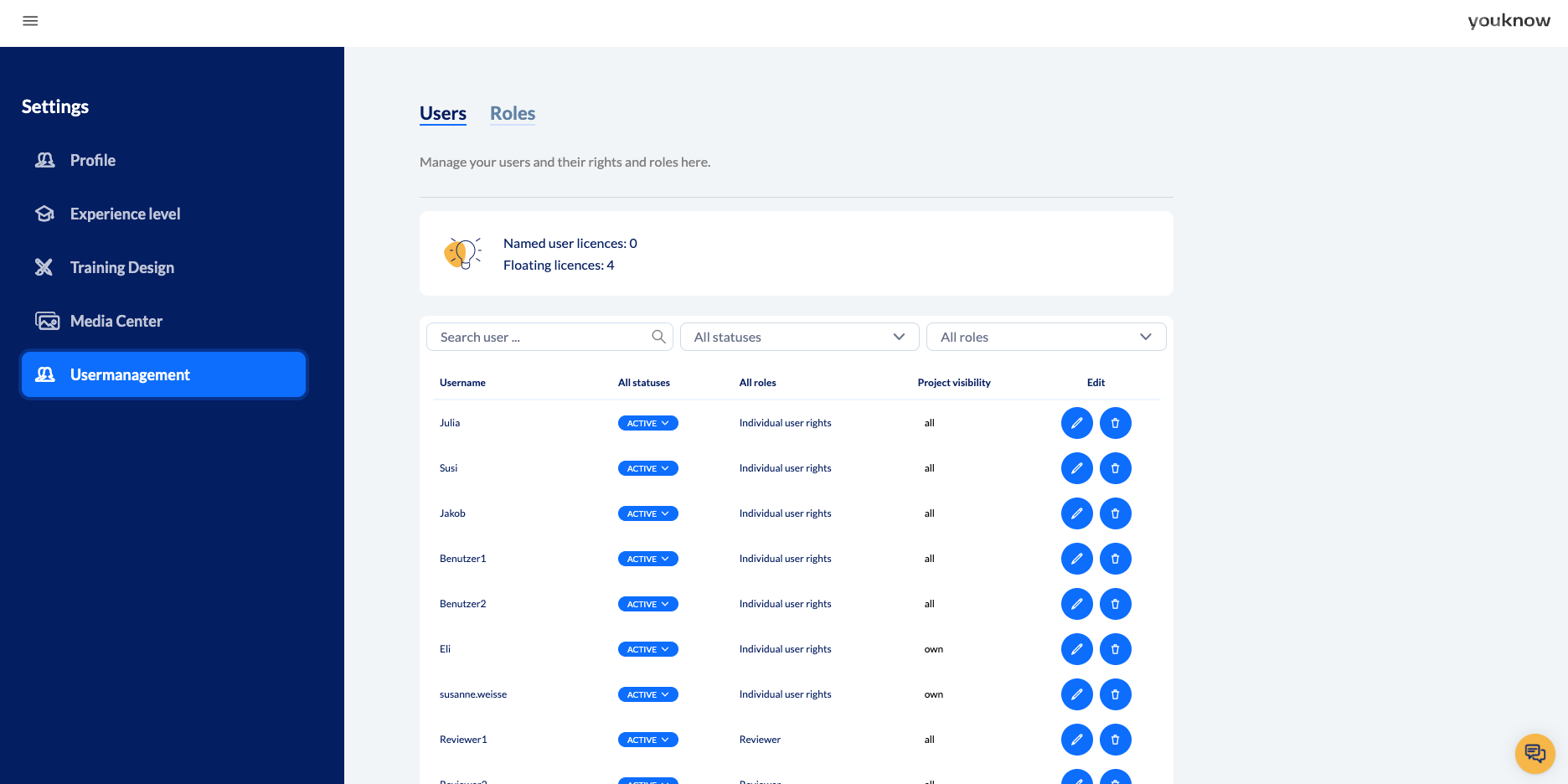
If you have the right to manage users, you will find the option to do so under the burger menu at the top left -> Settings -> Usermanagement.
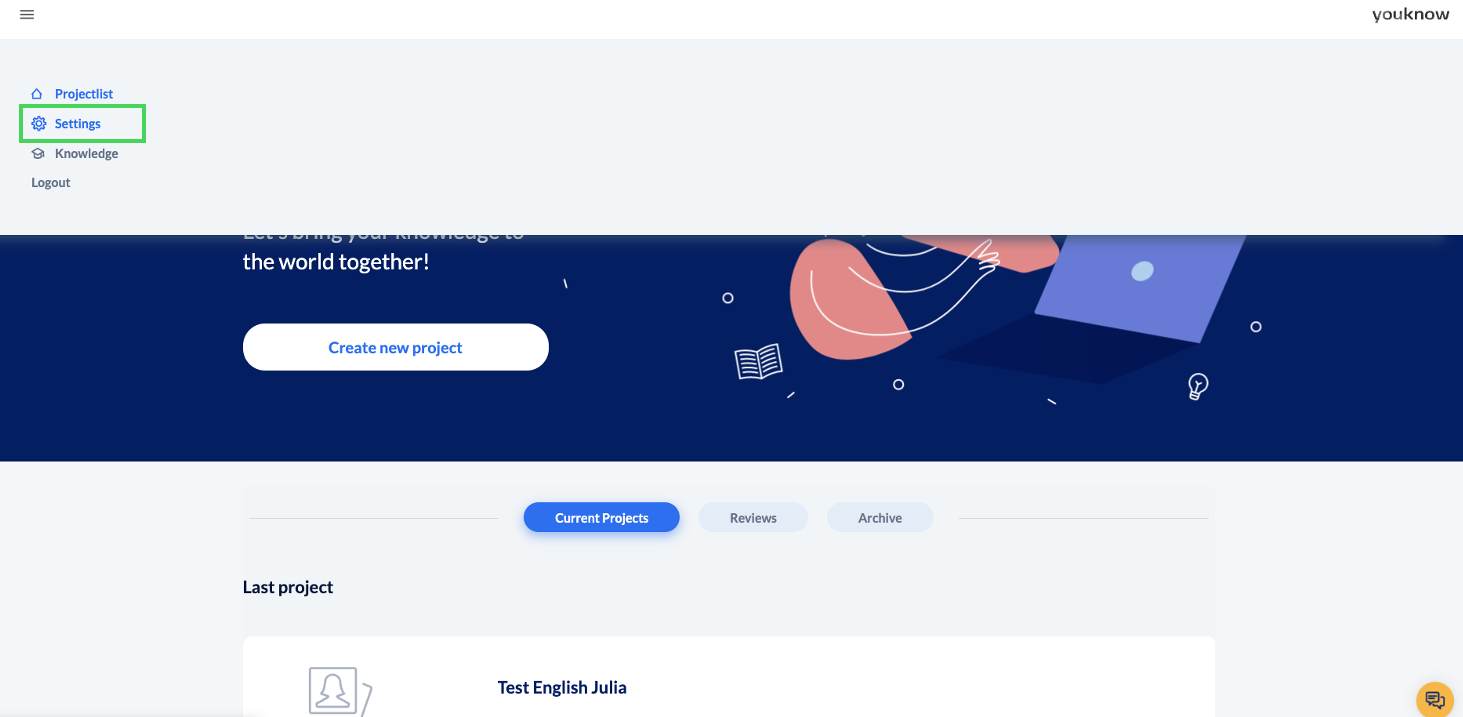
This is roughly what it will look like for you:
Why do I need the user administration?
With the user administration you have the possibility to
Create new reviewers
Create new users
Set users to inactive
Manage user rights, e.g. who can work with AI, who can influence the design, who can export?
Delete users
Create roles: Do certain users always have the same combination of rights? Then create a role for them
Change roles
Delete roles

Important: You can ALWAYS create a reviewer. You can only create other users if you have a “floating licence”. We create all “named users” for you.
Where can I find the roles in the usermanagement?
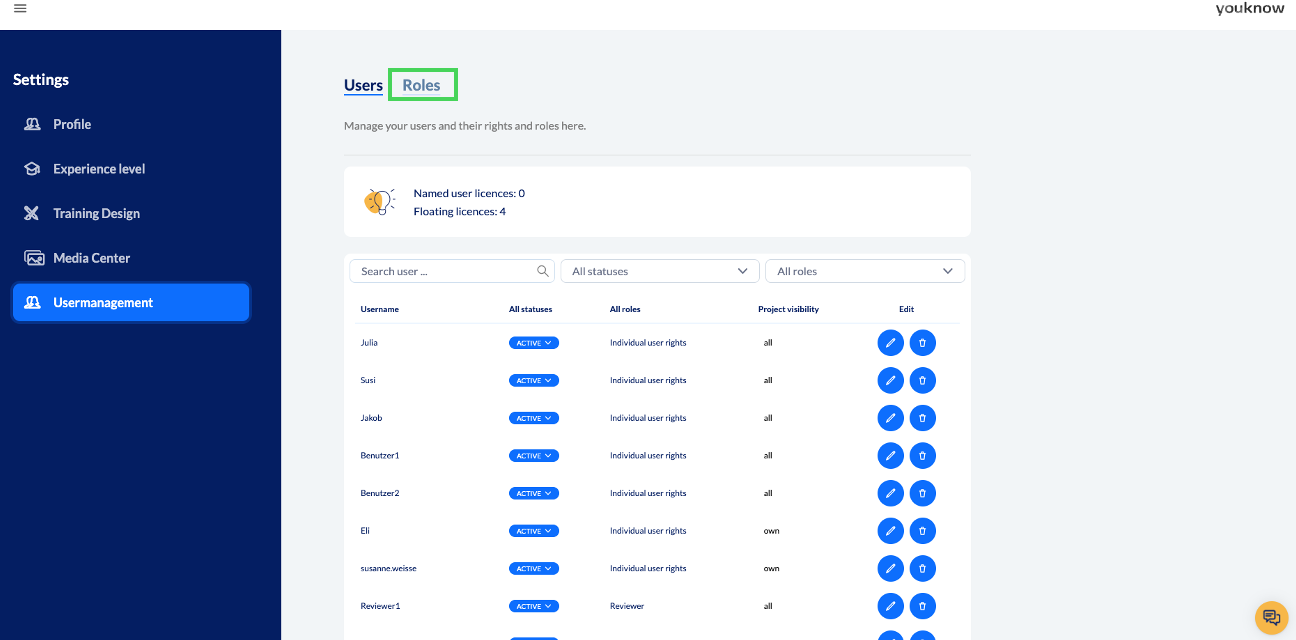
The user administration contains two areas - the first time you open it, you will be taken to the users. You can click on ‘Roles’ at the top next to the ‘Users’ heading to access the roles section.
Good to know
You can also filter, search or rearrange the user list with the existing fields. By default, the most recently created user is at the bottom. Click on ‘User name’ at the top of the list to sort the users alphabetically.
What rights are there and what do they mean?
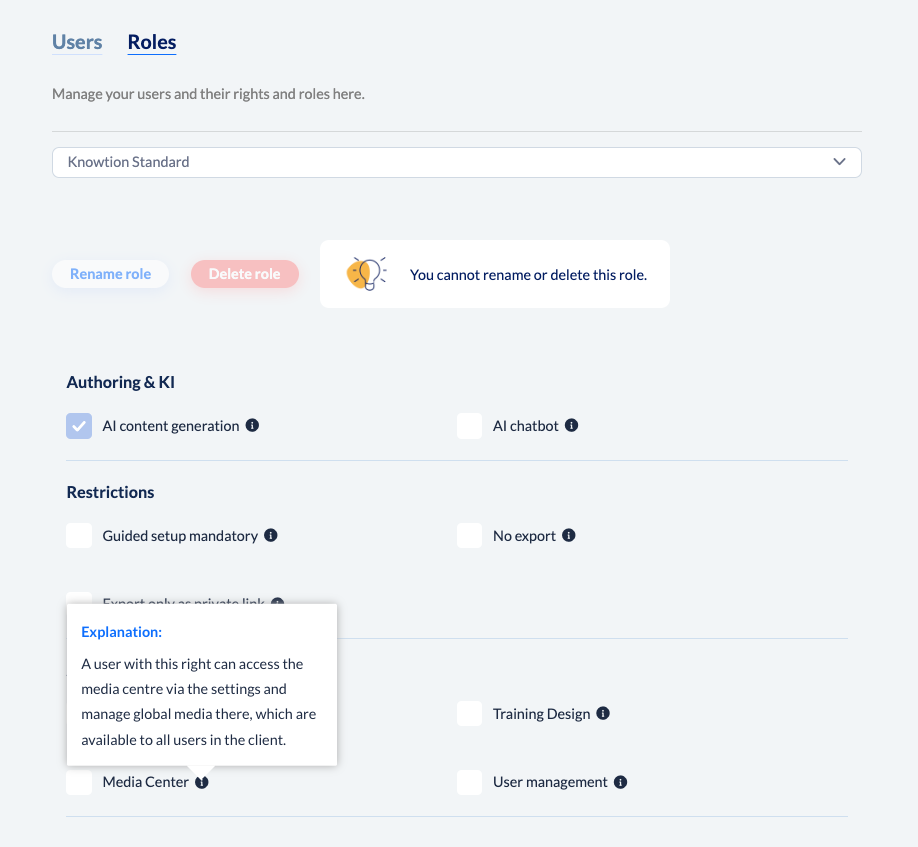
You can see all the rights and restrictions that are available as soon as you select a role or create a new role. The step-by-step instructions can be found here:
Mit Rollen arbeiten
Wie kann ich Rollen anlegen, bearbeiten oder löschen?
There is a small ‘i’ next to each right. Hovering over this tooltip shows you exactly what is behind the right or restriction:
Click here for the next articles on useradministration:
Benutzer verwalten
Wie kann ich Benutzer anlegen, ändern oder löschen?
Mit Rollen arbeiten
Wie kann ich Rollen anlegen, bearbeiten oder löschen?