To make the final page of your training course dynamic – i.e. so that different text is displayed depending on whether users have passed a previous test or not – proceed as follows:
Open the final page
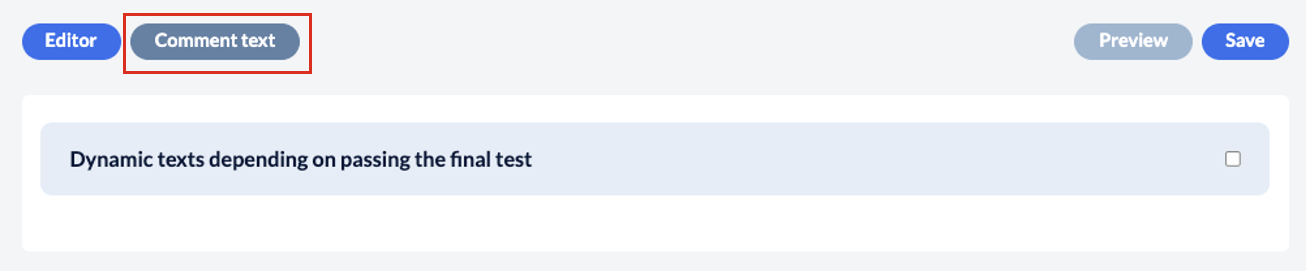
Click on the ‘Comment text’ button in the top left-hand corner
Then tick the box ‘Dynamic texts depending on passing the final test’
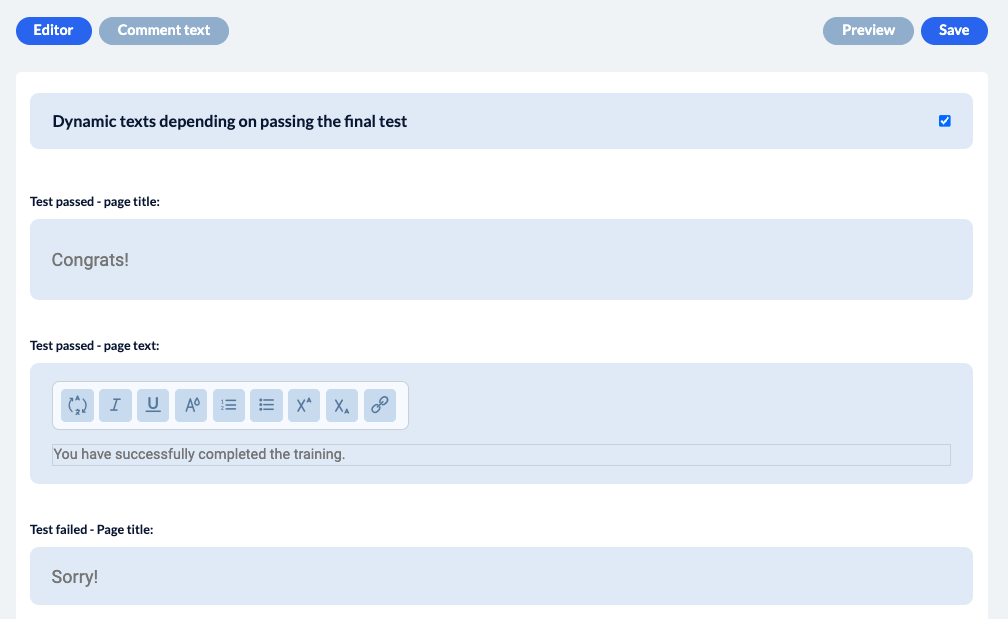
You can then work in the text fields that appear:

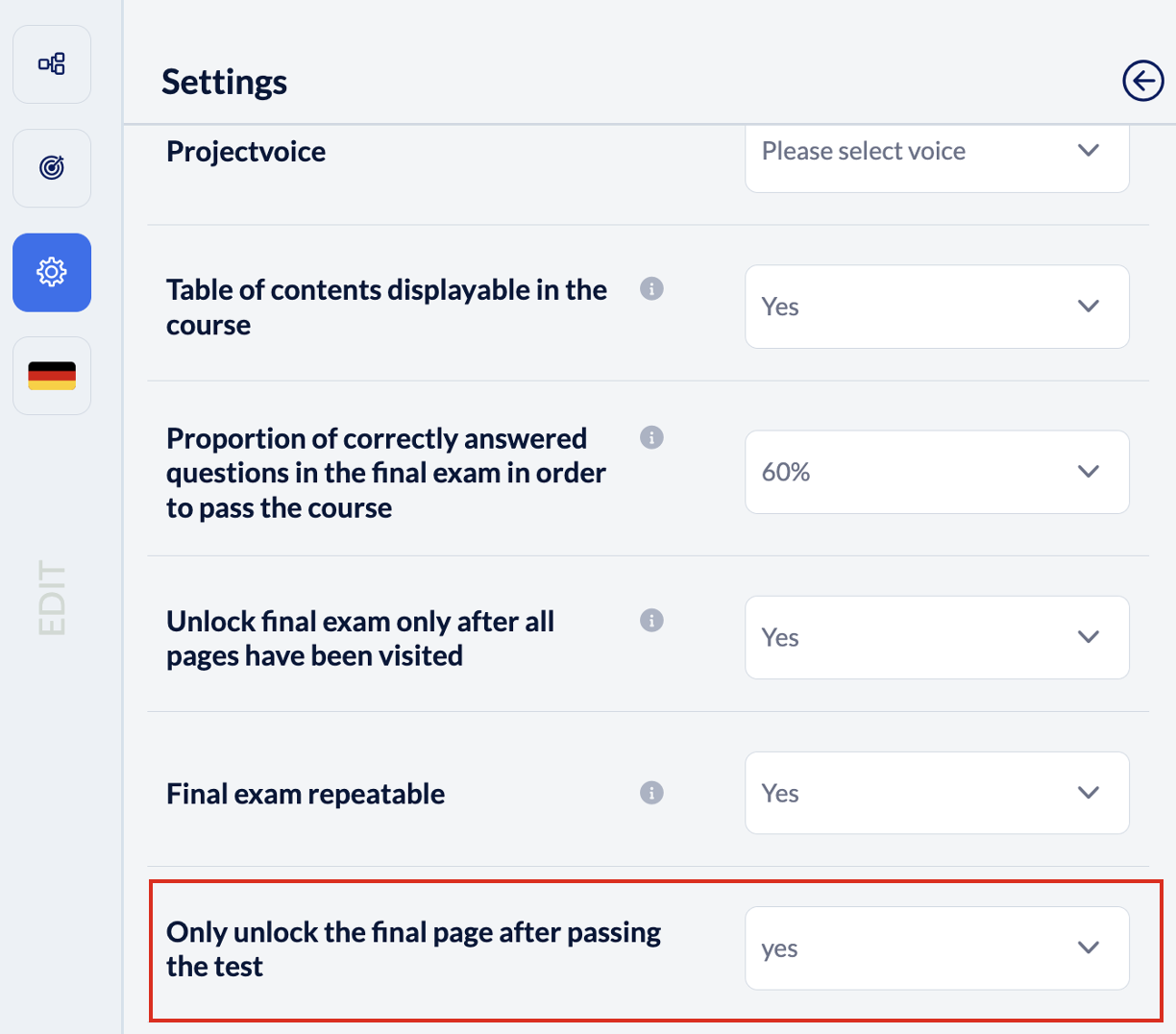
You can also decide in the project settings, if the closing page is only unlocked after a SUCCESSFUL final test/exam.
You’re looking for more information on the final test?
Final test
Determine how answer options should be displayed