Have you made changes to your project but can't see them in the exported link?
Then the following tips may help you:
In the “Export” tab, there is an option to update the link.
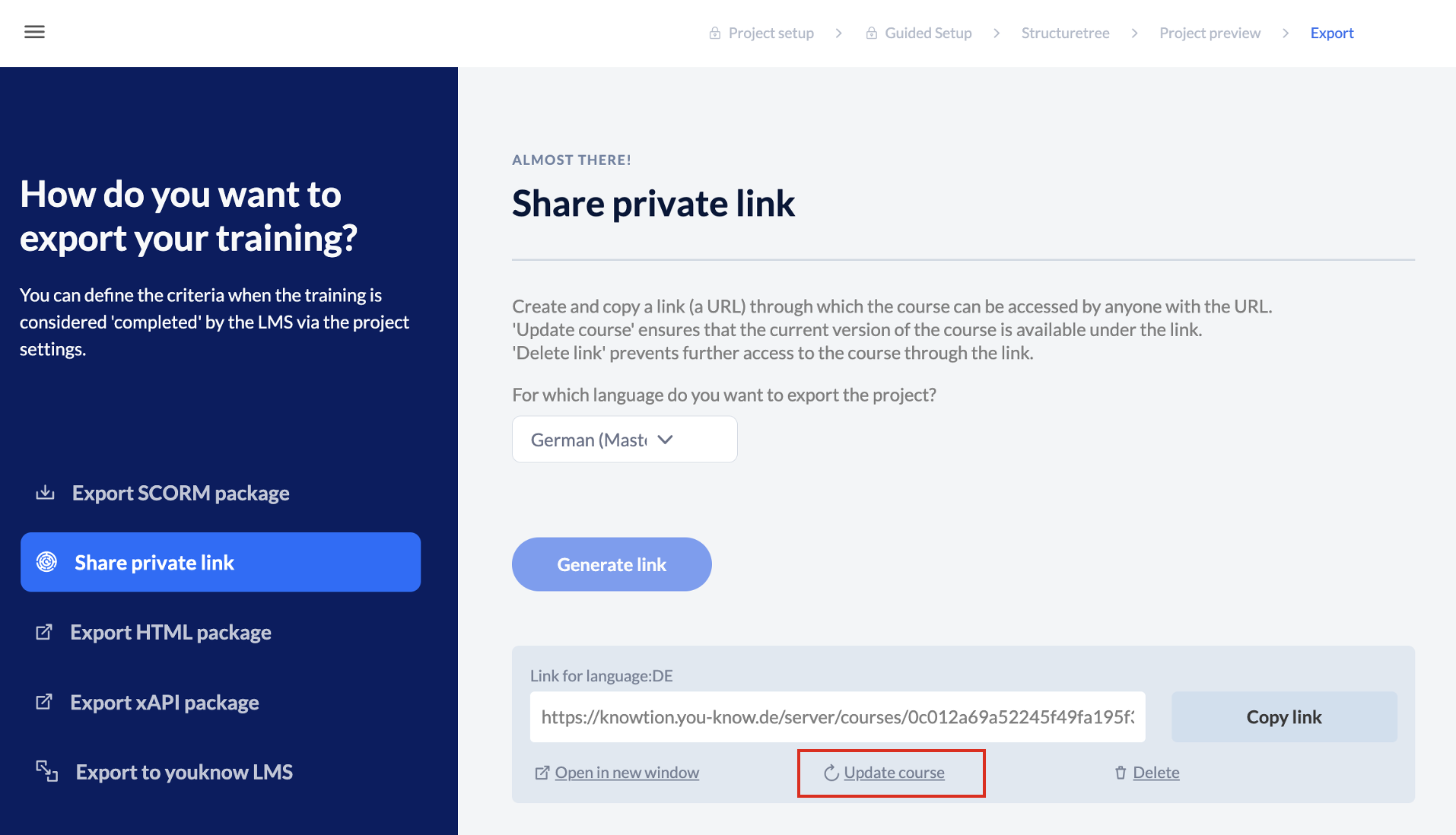
Delete the link and recreate it
IMPORTANT: Often, the changes are stored in the browser cache, which means that although the changes have been made, your browser does not reload the link but thinks that it already knows it and displays what it has stored—i.e., the old version.
—> In this case, please delete the browser cache.
To test whether it is the browser cache, it sometimes helps to open the link in another browser or in an incognito window before deleting it.