With the accessibility functions in knowtion, you can ...
Create and edit subtitles for videos automatically via AI, manually or via VTT upload and translate them into all languages*.
Assign alt texts for images directly and also translate them into all languages.
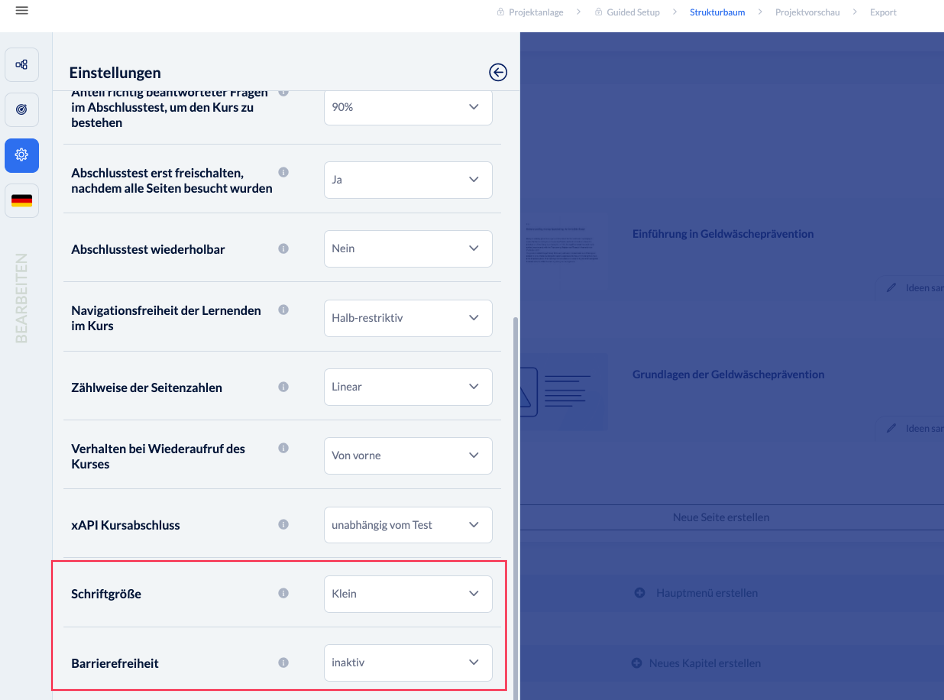
Customize the font color for all courses (in the course designer) and the font size for individual courses (in the course settings).
Activate accessibility mode for each knowtion project in the training settings.
Make sure that your exported project complies with the legal requirements for accessibility.
Accessible mode from the user's perspective at a glance
A training course can be made accessible with just one click:
The training can be controlled entirely by keyboard.
Screen readers guide you reliably through the content.
A visible focus (frame around the currently selected element) always shows where you are.
The navigation adapts and can be used without restrictions.
The training can be zoomed as usual in the browser.
...and much more happens automatically in the background.

If you select one of these page types in the editor, knowtion will inform you that these interactions should not be used in accessible training courses.
Good to know
Accessibility is an important milestone on the way to inclusive online learning. We are continuously developing knowtion and are happy to respond to your requests. If you have any suggestions or questions, please contact our support team directly via the small bubble at the bottom right of knowtion.