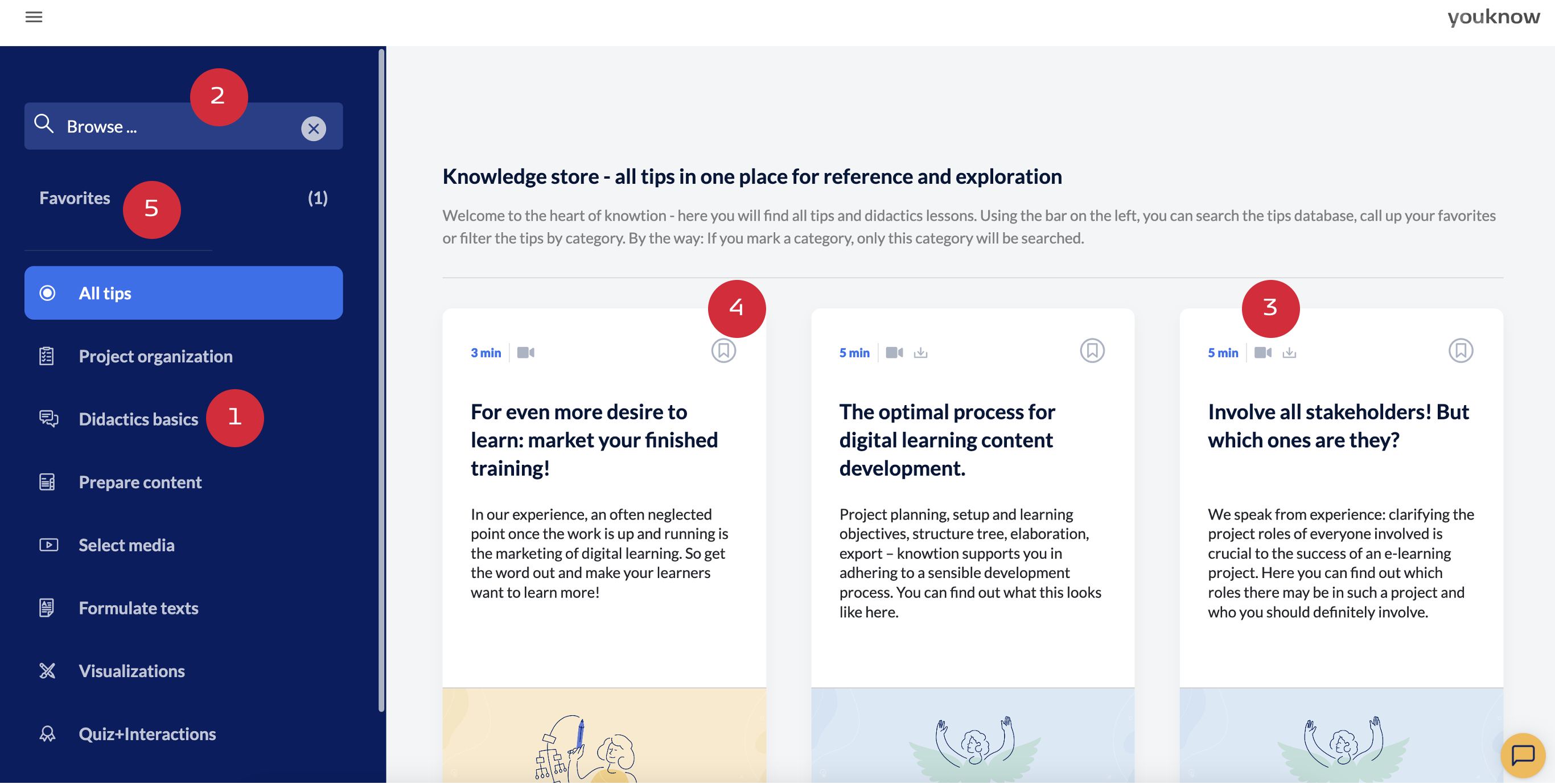
In the ‘Knowledge’ section of the burger menu, you will find all tips and didactic sessions in one place - for reference and exploration. All of knowtion's didactic know-how is sorted here according to various categories (1), such as Project organisation, Didactic basics, Preparing content and much more.
You can search the content in the knowledge area either according to those categories or by entering free text (2). Icons in the header of a tip tile show whether there is additional material to download or a video lesson (3). If you find a tip particularly helpful, you can add it to your favourites list (4), which you can access via the control bar on the left (5).
knowledge categories
The knowledge repository is the centrepiece of knowtion - here you will find tips and didactic sessions in various categories:
Project organisation
didactic basics
preparing content
selecting media
formulating texts
visualisation
quizzes and interactions as well as topic-specific tips.
Click on the category to display the corresponding tips. This might even help you with the preparation of your next presentation or live training!
Browse the knowledge area
You can search the entire knowledge base in the ‘Browse’ field. If you select a category in advance, only this category will be searched. As soon as you enter a search term, the number of hits for each category is also displayed in brackets after the category name.
Bookmark tips and add them to your favourites list
You can mark tips by clicking on the ‘bookmark’ icon (4) and add them to your favourites (5). You can find your favourite tips at any time - both in the knowledge area and within your projects (more precisely in the Guided Mode on the right side of your structure tree). Of course, you can also unmark tips by clicking the bookmark icon again.