Use the “Global Media” database to upload images and videos that can be used across projects.
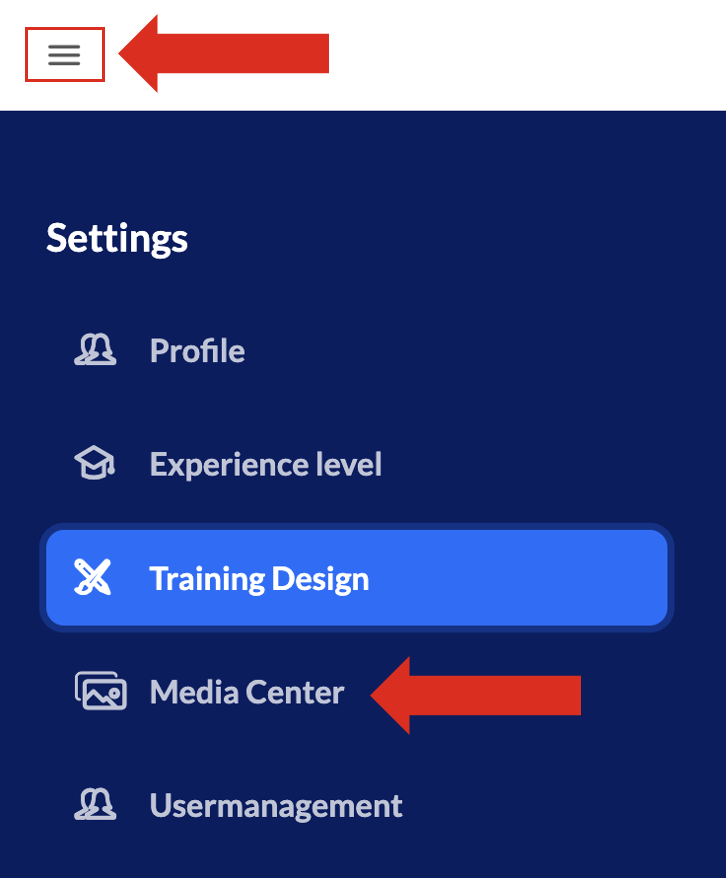
You get to the “Global Media Center” by navigating via Menu (3 lines on the top left in knowtion) —> Settings —> Media Center:
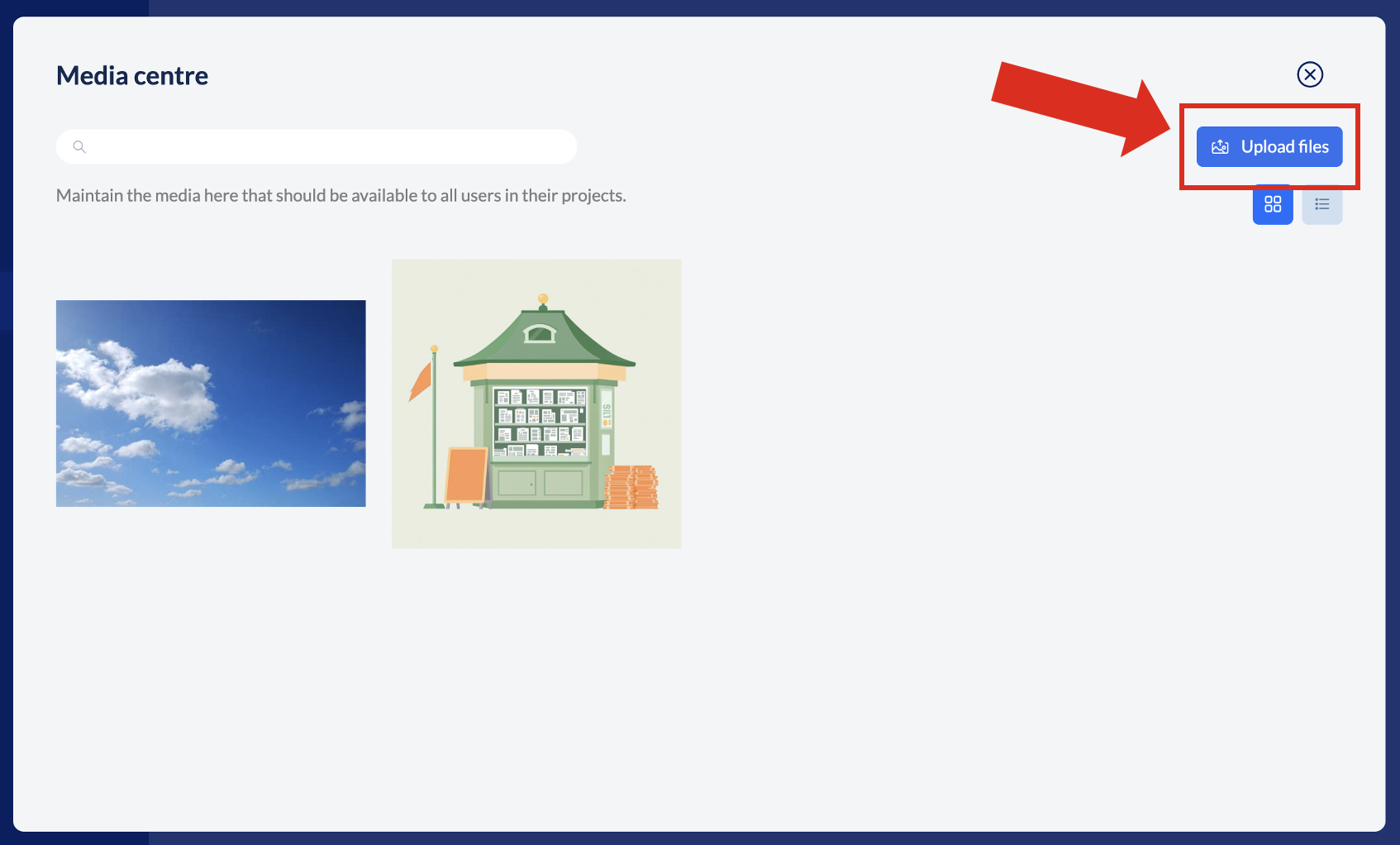
Upload global media
In the popup that opens after clicking on “Media Center” you can upload any images or videos. The media uploaded here is available in every project created in knowtion – the ones that already exist as well as new ones yet to be created. If you need the media only for ONE project, please upload it directly via the media center IN the project.
Delete or replace global media
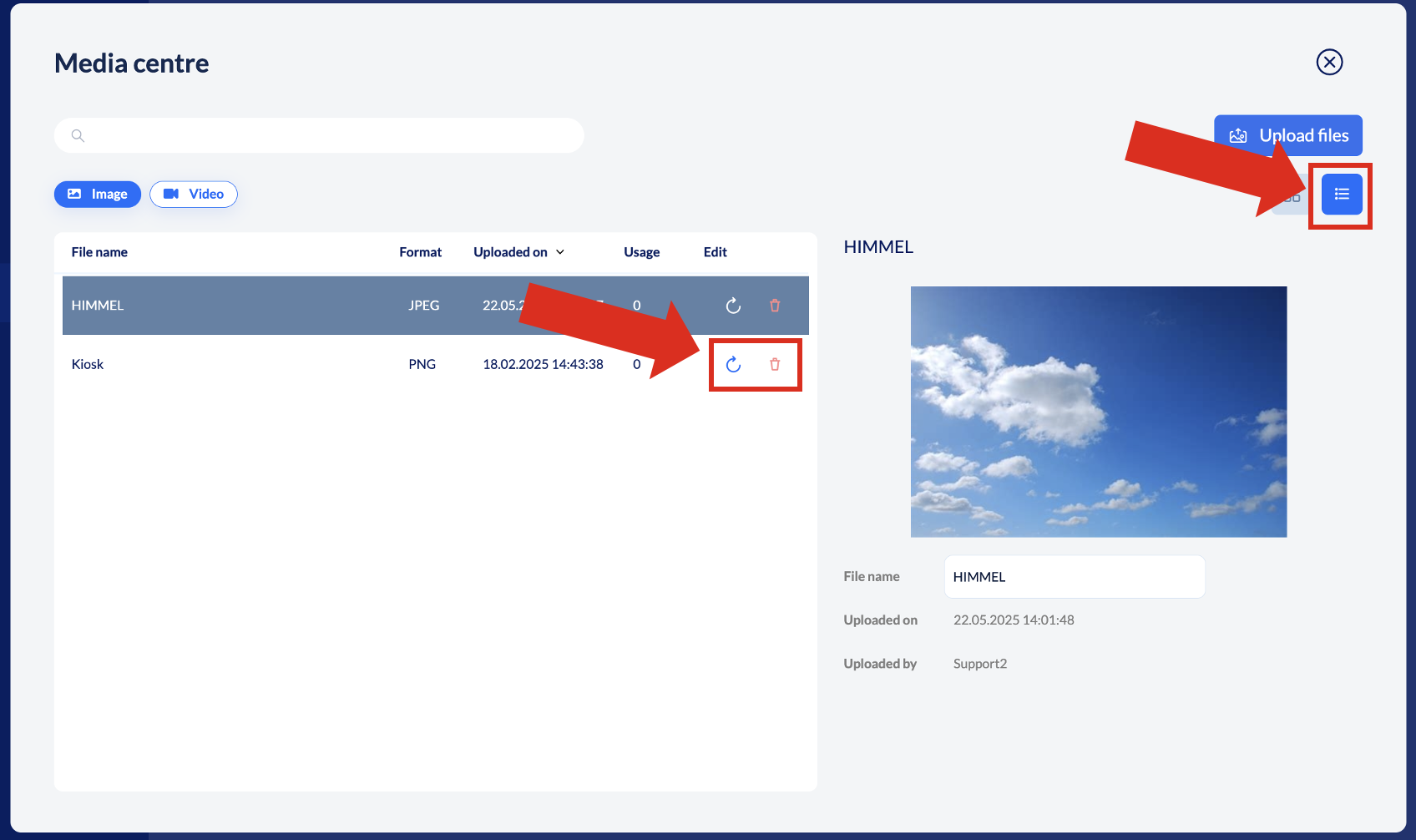
To delete delete or replace a file, switch to list view via the list-icon on the top right:
Delete a file: Click on the paper bin icon next to it
Replace a file: Click on the circular arrow icon
Good to know:
If a media file has already been uploaded, knowtion will detect this and ask how you want to handle it. If you replace it, it will be replaced everywhere.
