General project preview
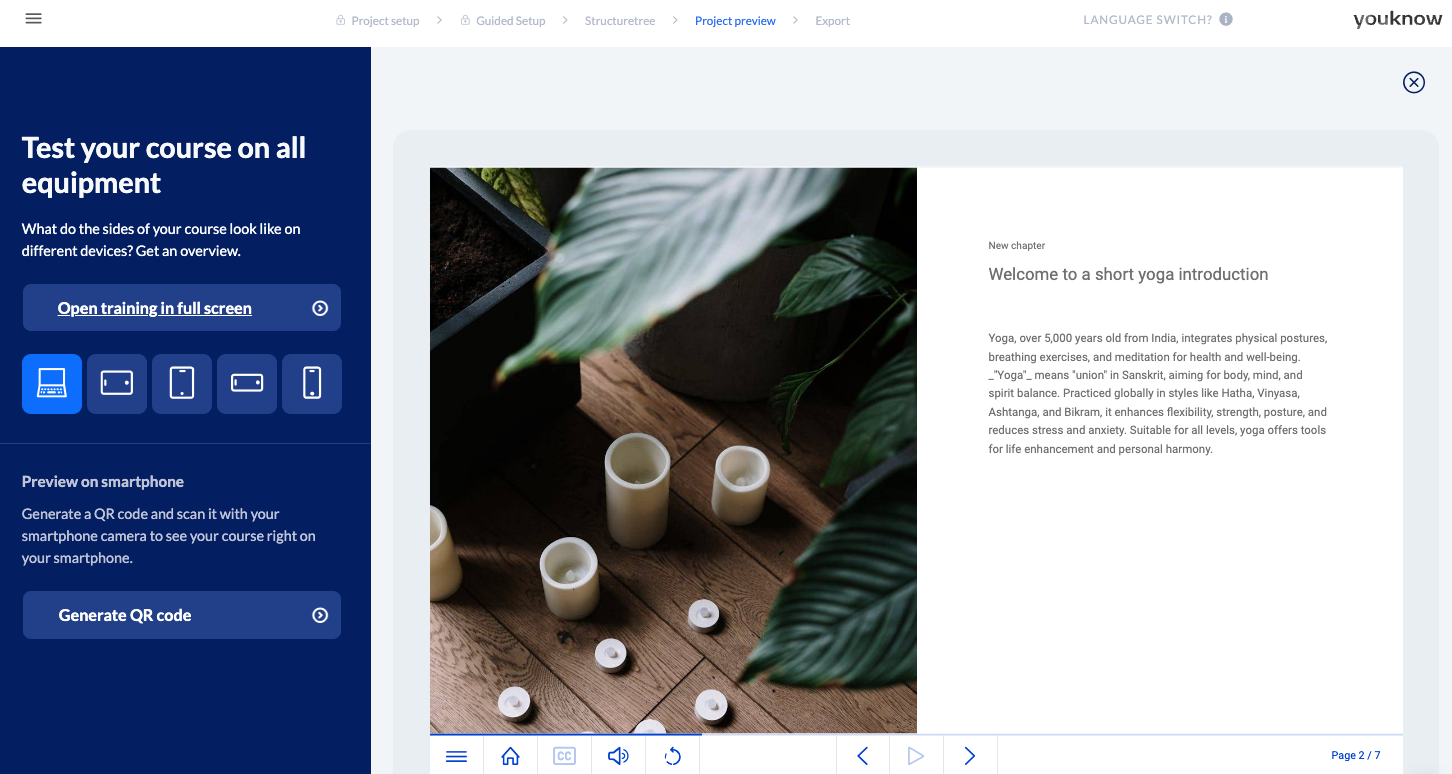
Use the project preview to view your project from the perspective of your learners. In the project preview, you can view the entire project with its full range of functions. You have the option of displaying the project in full-screen mode and in various device views, e.g. for a smartphone.
Responsiveness
The layout of your knowtion project is responsive, i.e. the positioning of the content elements (e.g. texts, videos, images, etc.) is orientated to the resolution of the respective device. In this way, knowtion guarantees ideal conditions of use, regardless of which end device the learners use to access your training.
Generate QR code
To view or test your project on a smartphone or tablet, knowtion offers you a convenient solution: By clicking on the ‘Generate QR code’ function, knowtion creates a QR code. Scan it with your smartphone or tablet camera. To access the project preview, simply click on the link displayed on the device.