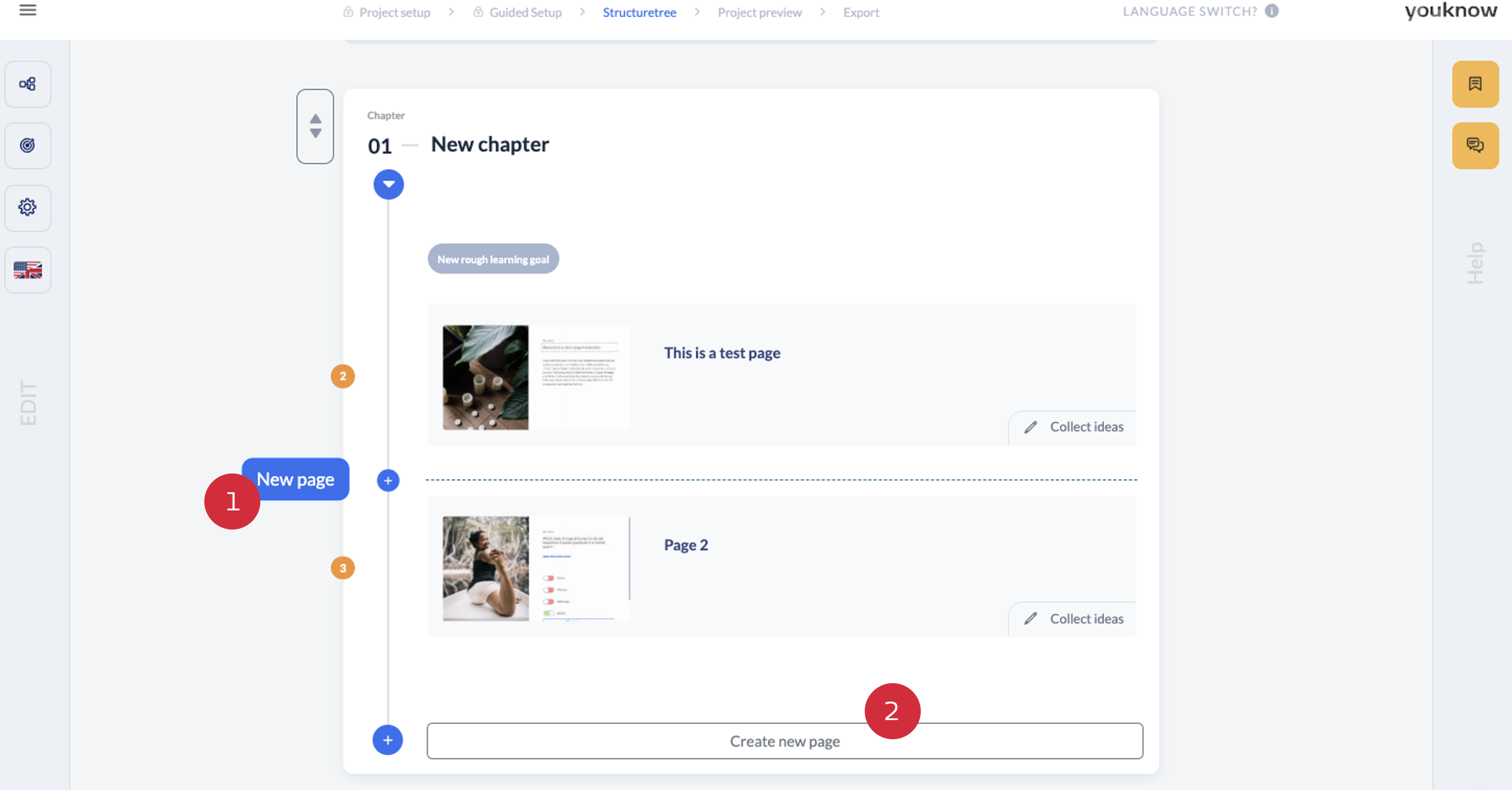
If you want to create a new page in knowtion, you can do this in two ways:
Option 1: Click on the plus sign in the structure tree at the point where you want to insert the new page
Option 2: Click on the ‘Create new page’ button.
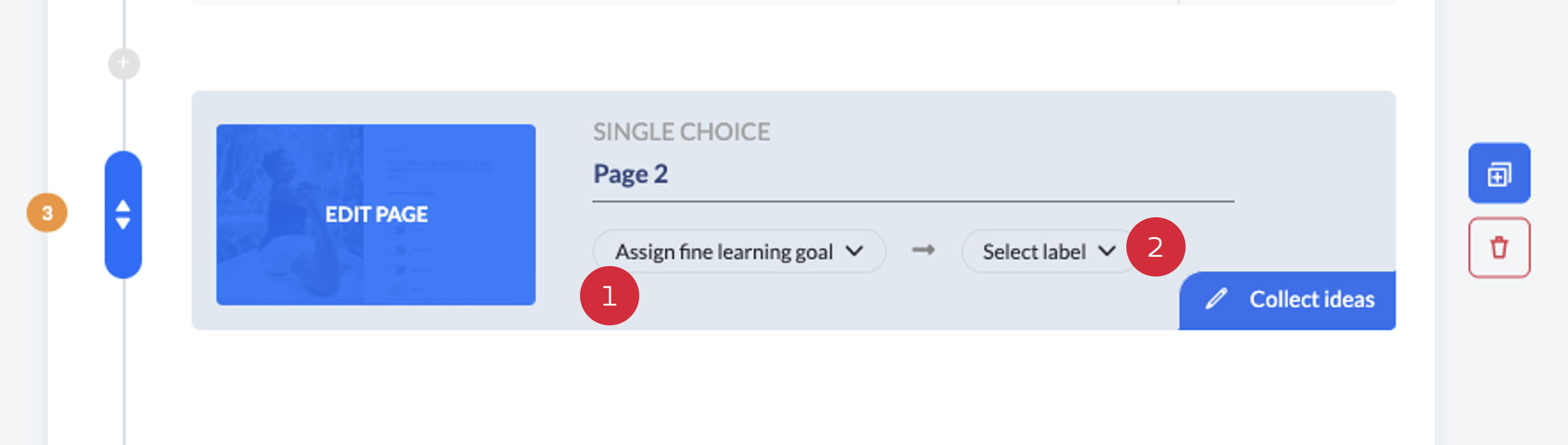
In order to receive customised tips for the subsequent page design in our Guided Mode, we recommend that you assign the appropriate learning objective (1) and a label (2) to the new page:
After that you can start editing your page.
You want to know more about our Guided Mode? Have a look at this article:
Guided Mode
Information about the tips in the Guided Mode